
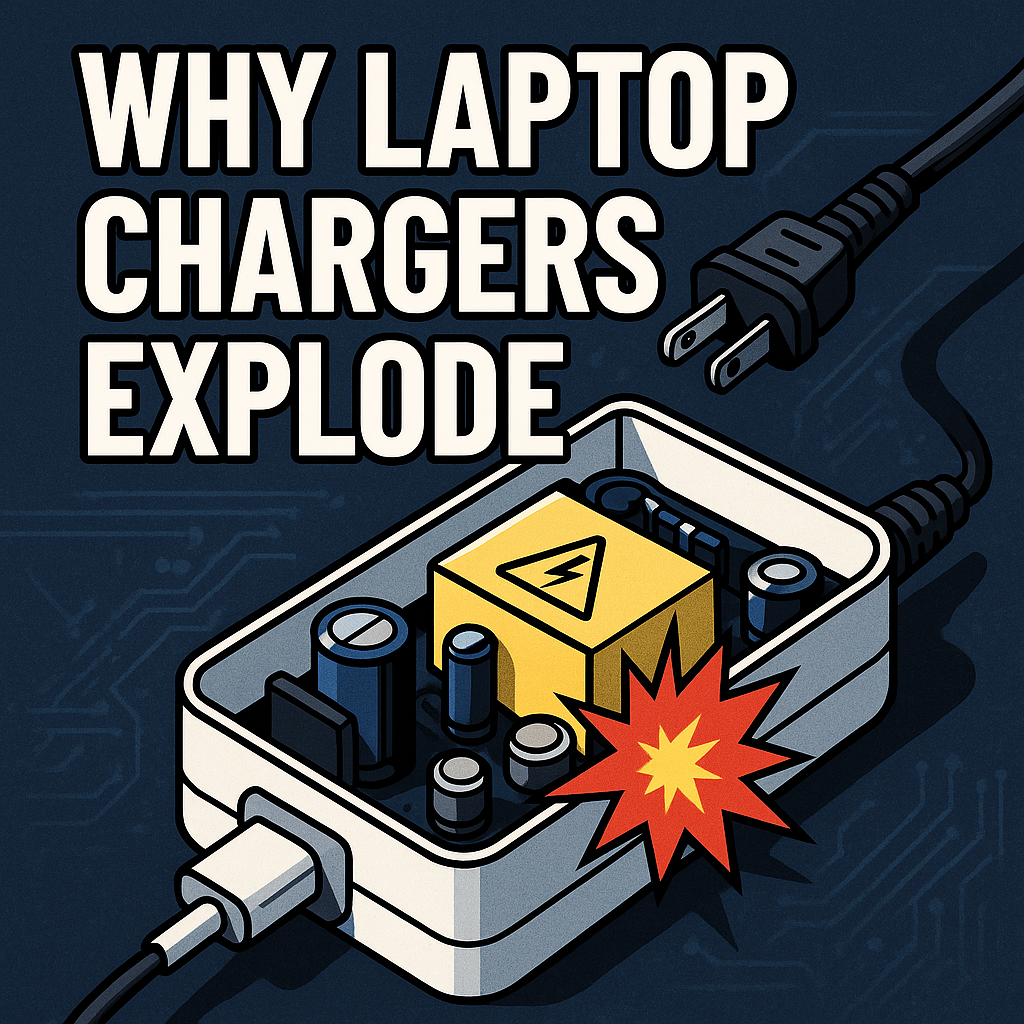
Laptop chargers — especially thin modern USB-C power bricks — are some of the most stressed electronic devices you own.
They:
- run hot,
- switch high power,
- handle constant voltage negotiation,
- deal with battery inrush currents,
- survive brownouts,
- withstand surges,
- and operate for hours under heavy thermal load.
People often report:
- chargers getting very hot,
- chargers stopping suddenly,
- chargers exploding with a “pop,”
- chargers swelling or melting,
- chargers shocking them,
- chargers making whining noises.
The scary part?
Most of these failures are predictable — because the same components die first.
Today we break down:
- what actually fails inside a laptop charger,
- why modern chargers run hotter than old ones,
- why USB-C PD chargers are even more fragile,
- and why some chargers explode violently.
Let’s open it up (figuratively) and look inside.
⚡ The First Truth: Laptop Chargers Are High-Power SMPS Devices Operating Near Their Thermal Limit
A modern 65W or 100W laptop charger is NOT a simple power adapter.
It’s a:
- high-frequency switching power supply,
- power factor correction (PFC) circuit,
- USB-C PD negotiator,
- synchronous rectifier,
- safety isolation transformer,
- MOSFET gate driver,
- multi-stage buck converter.
A modern charger has more components than an entire motherboard did in the 90s.
And all of that is stuffed into a small plastic brick.
Operating temperatures inside:
70–110°C
This is why they fail.
⚡ Reason #1: Electrolytic Capacitors Cook Themselves to Death
The #1 failure point in laptop chargers:
Electrolytic capacitors.
Why?
- They dry out.
- They lose capacitance.
- Their ESR rises.
- They overheat internally.
- They begin to “vent,” swell, or burst.
Charging laptops puts constant ripple current on capacitors.
Ripple current = heat.
Cheap capacitors inside cheap chargers are:
- low temperature rated (85°C),
- low lifespan rated,
- undersized,
- poorly cooled.
When capacitors fail:
- voltage becomes unstable,
- ripple increases,
- MOSFETs get stressed,
- the whole charger destabilizes.
Symptoms:
- charger gets hotter than usual,
- buzzing or whining sound,
- occasional disconnects,
- laptop charges slowly or not at all,
- popping sound when the capacitor blows.
⚡ Reason #2: MOSFETs Fail Under High Voltage or Overheating
Every charger relies on MOSFETs to switch power at tens or hundreds of kHz.
MOSFET failures cause:
- loud pops,
- smoke,
- scorch marks on the PCB,
- total charger death.
Why MOSFETs fail:
- gate driver problems,
- avalanche breakdown from surges,
- overheating from poor thermal design,
- high switching currents,
- poor-quality MOSFETs in cheap chargers.
USB-C PD chargers use two stages of MOSFETs:
- Primary switching stage
- Output buck stage
More MOSFETs = more failure points.
⚡ Reason #3: Gallium Nitride (GaN) Chargers Run Much Hotter Internally
GaN chargers are marketed as:
- faster
- smaller
- more efficient
But here’s the part manufacturers don’t highlight:
GaN chargers push components to extreme limits.
GaN switches handle:
- higher frequencies,
- higher voltage,
- more thermal stress.
Internal temps commonly hit 100°C+.
GaN itself handles heat well —
but the capacitors and plastic housing do not.
GaN chargers fail fast when built cheaply.
⚡ Reason #4: USB-C Power Delivery Negotiation Causes Electrical Stress
USB-C PD is a complicated protocol.
Every time you plug in:
- the charger and laptop negotiate voltage
- negotiate current
- confirm cable rating
- verify identity
- detect orientation
- negotiate PPS (if available)
Each negotiation causes small spikes and rapid shifts.
This stresses:
- the PD controller IC,
- the 5V standby supply,
- the buck converter,
- the MOSFET gates.
Cheaper chargers often:
- mis-handle negotiation,
- send incorrect voltage pulses,
- fail early due to controller IC overheating.
This is why some chargers:
- connect and disconnect rapidly,
- charge slowly,
- kill laptop USB-C ports.
⚡ Reason #5: Surges, Brownouts, and Lightning Destroy Laptop Chargers Easily
Laptop chargers connect directly to AC mains through:
- a bridge rectifier,
- a PFC stage,
- a bulk capacitor.
Any of these can fail if:
- the voltage dips too low (brownout),
- the voltage spikes too high (surge),
- lightning strikes nearby,
- the grid is noisy.
Symptoms:
- loud pop,
- charger dead instantly,
- sometimes scorch marks near the rectifier.
Cheap chargers lack:
- MOVs (surge absorbers),
- NTC thermistors,
- high-quality PFC circuits.
Meaning they die quickly in bad electrical environments.
⚡ Reason #6: Heat Gradually Weakens the Isolation Barrier
Chargers isolate you from mains voltage using:
- an isolation transformer
- insulation tape
- creepage/clearance spacing
- epoxy potting
Over years of heating/cooling cycles:
- insulation becomes brittle
- epoxy cracks
- dust contamination forms conductive paths
- moisture enters micro cracks
This can cause:
- tingling sensation when touching laptop,
- USB port damage,
- charger blowing out violently.
⚡ Reason #7: Cheap Chargers Use Fake Safety Certifications
Many online chargers display:
- “CE”
- “UL”
- “ETL”
- “FCC”
…but many markings are counterfeit.
Cheap chargers often:
- have no proper isolation spacing
- use fake MOSFETs
- use recycled capacitors
- skip EMI filtering
- run dangerously hot
- use undersized PCB traces
- have no thermal monitoring
These are the chargers that explode most often.
⚡ When a Charger Is Unsafe (You Should Stop Using It Immediately)
❌ It gets too hot to touch
(inside temp likely > 90°C)
❌ It makes crackling, buzzing, or whining noises
(indicator of failing transformer or switching circuit)
❌ The cable or plug discolors
(overheating of output stage)
❌ It disconnects randomly
(controller or MOSFET instability)
❌ There’s a burnt smell
(failing capacitor or transformer)
❌ The charger “pops” on plug-in
(MOSFET or bridge rectifier failure)
Retire it immediately.
⭐ Amp Nerd Fun Facts
- Some laptop chargers reach 110°C internally under heavy load.
- Many “65W” no-name chargers output only 40–55W in real conditions.
- The charger in a laptop is more complex than the entire power supply of 1990s PCs.
- A failing capacitor can make a charger explode like a small firecracker.
- USB-C PD can negotiate up to 240W — higher than some desktop PCs use.
- GaN chargers switch up to 500,000 times per second.
- A single MOSFET failure can cascade and destroy the whole charger.
⚡ Amp Nerd Summary
Laptop chargers fail (and sometimes explode) because of:
- electrolytic capacitor drying,
- MOSFET thermal overload,
- PD negotiation stress,
- GaN high-frequency operation,
- lightning/surge exposure,
- overheating plastic enclosures,
- cheap component choices,
- isolation breakdown.
The LED on the brick isn’t the weak point —
the electronics inside are.
Laptop chargers are incredibly advanced — and incredibly fragile.