
Every electronics hobbyist knows this experience:
You buy a cheap soldering iron for €10–€25 because “it’s just a heating stick.”
You try to solder something simple…
and suddenly:
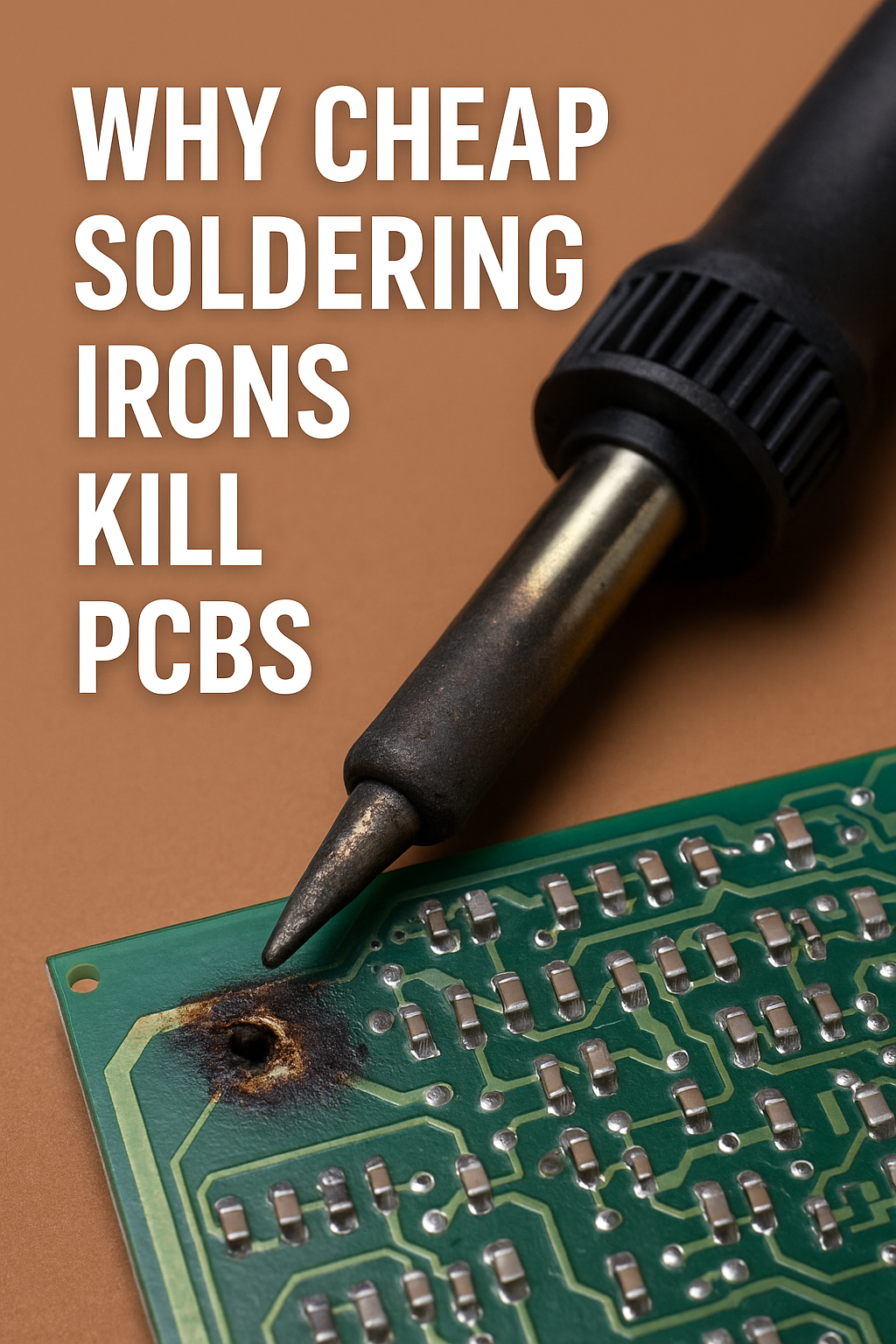
- pads lift
- traces bubble
- components melt
- joints look dull or cracked
- solder won’t flow
- the PCB warps
- plastic connectors deform
- copper delaminates
You blame yourself — “Maybe I’m bad at soldering.”
But here’s the truth:
Cheap soldering irons destroy PCBs even when used by skilled people.
It’s not you — it’s the tool.
Low-quality irons cause predictable electrical, thermal, and mechanical damage that even professionals can’t avoid.
Today we break down why cheap irons kill PCBs, what actually happens thermally at the joint, and what engineers know about soldering that YouTube tutorials never explain.
Let’s go deep.
⚡ The First Truth: Cheap Soldering Irons Don’t Control Temperature — They Fluctuate Wildly
Professional soldering stations use:
- closed-loop temperature control
- thermocouples or RTD sensors
- fast feedback loops
- PID algorithms
- high-efficiency heaters
Cheap soldering irons use:
- a resistive heating element
- no sensor
- no feedback
- no regulation
They simply get hot — then too hot — then cool — then overheat again.
This causes temperature swings of ±50–120°C during soldering.
Since solder melts at:
- 183°C (lead/tin)
- 217–230°C (lead-free)
Cheap irons can spike to:
- 350°C
- 400°C
- even 500°C
This is how PCBs get destroyed.
⚡ Reason #1: Overheating Lifts Pads and Delaminates Copper
PCBs are made of:
- FR-4 epoxy laminate
- copper foil
- heat-cured resin
- adhesive layers
Cheap irons overheat the copper, causing:
- pad lifting
- trace delamination
- bubbling
- warping
- substrate charring
At temperatures above 260°C, the epoxy softens.
Above 300°C, the copper-to-FR-4 bond weakens.
At 350–450°C, failure is guaranteed.
Expensive irons never reach destructive temperatures.
Cheap irons reach them constantly.
⚡ Reason #2: Underheating Causes Longer Contact Time (Which Overheats the Board Anyway)
Here’s the paradox no beginner knows:
A cooler tip damages a PCB more than a proper hot one.
Why?
A low-wattage, low-quality iron cannot deliver enough thermal energy quickly.
So you must hold it on the pad for:
- 5–10 seconds
- sometimes 20+ seconds
The PCB absorbs heat slowly, but continuously.
This prolonged heating:
- cooks the adhesive
- spreads heat to nearby components
- overheats plastic headers
- softens FR-4
- weakens copper adhesion
A good iron heats the joint in 0.5–1.5 seconds.
A bad iron takes 10 seconds and cooks everything around it.
⚡ Reason #3: Cheap Irons Have Terrible Thermal Recovery
Thermal recovery = how fast the iron returns to its set temperature after touching a cold joint.
Cheap irons:
- drop 80–120°C instantly
- cannot replenish heat
- make soldering multiple-pad components impossible
So you push harder, hold longer, and accidentally burn the board.
High-end irons (Hakko, JBC, Weller):
- drop ~5–15°C
- recover in milliseconds
- maintain consistent temperature
This protects the PCB.
⚡ Reason #4: Tip Quality on Cheap Irons Is Horrendous
A soldering tip isn’t “just metal.”
It’s a complex layered structure:
- copper core
- iron plating
- nickel barrier
- chrome exterior
- special wettable surfaces
Cheap irons skip these layers.
Their tips:
- dissolve into solder
- pit and corrode
- oxidize rapidly
- refuse to wet
- require longer contact time
- scrape pads off the PCB
A bad tip is as dangerous as bad temperature control.
⚡ Reason #5: Poor Heat Transfer Forces People to Use Excessive Pressure
Cheap irons often require pressure to make thermal contact.
Pressure on a hot pad =
pad lifting, trace tearing, and copper delamination.
A good iron needs no pressure at all — just touch and flow.
Cheap irons often force beginners into bad habits because the tool does not deliver heat correctly.
⚡ Reason #6: Cable Heating Causes Solder to Jump or Spatter
Cheap irons often use:
- resistive heaters with overshoot
- poor insulation
- uneven thermal expansion
This causes sudden bursts of:
- temperature spikes
- steam pockets (if flux boils inconsistently)
- solder micro-explosions
These events:
- splatter molten solder
- damage pads
- blow tiny traces clean off the PCB
- contaminate other components
Inconsistent heat = unpredictable solder behavior.
⚡ Reason #7: Lead-Free Solder Makes Everything Worse
Modern electronics use lead-free solder, which:
- melts hotter (217–230°C)
- wets poorly
- requires more precise temperature control
- needs faster thermal recovery
Cheap irons can’t hit or maintain proper temp for lead-free.
So you:
- overheat the board
- drag solder everywhere
- ruin pads
- burn flux
- cook nearby components
Lead-free + cheap iron = PCB disaster.
⚡ Reason #8: Overshoot Damages Components (Especially Plastics and Semiconductors)
Many components are extremely heat-sensitive:
✔ Plastic headers → soften at 120–160°C
✔ Ribbon connectors → deform at 100–140°C
✔ MOSFETs → die if the lead reaches 260°C
✔ Microcontrollers → fail above 250°C
✔ SMD LEDs → permanently dim above 200°C
Cheap irons often spike to 400°C+.
This damages:
- internal junctions
- solderability
- housing integrity
- thermal paths
- wire bond connections
Expensive irons never overshoot this way.
⚡ Reason #9: Bad Temperature Control Burns Flux and Creates Corrosive Residues
Flux is designed to:
- remove oxides
- clean surfaces
- allow wetting
Flux works best between:
- 150–250°C
Cheap irons constantly:
- underheat flux (making it useless)
- overheat flux (turning it into corrosive carbon)
Burnt flux:
- becomes acidic
- traps moisture
- corrodes copper
- creates conductive paths
- causes long-term PCB failure
This is the hidden failure mode of bad soldering.
⚡ Reason #10: Tip Oxidation Happens 10× Faster on Cheap Irons
Oxidation makes the tip:
- black
- crusty
- non-wettable
Cheap irons:
- have poor plating
- run at too-high temperatures
- lack stabilizing coatings
This forces you to scrape the tip, which:
- removes iron plating
- exposes copper
- causes tip erosion
- leads to tip failure in days or weeks
Bad tip condition → long heating time → damaged PCB.
⚡ Reason #11: Cheap Irons Leak Current and Create Grounding Hazards
Many cheap irons:
- are not grounded
- leak AC into the tip
- generate electrostatic discharge
- shock components
- damage MOSFET gates
- destroy sensitive ICs
If your iron tingles when you touch the tip, it’s unsafe.
A proper soldering station has:
- grounded tip
- ESD-safe design
- isolated transformer
- proper filtering
Cheap irons skip all of this.
⚡ How Engineers Actually Protect PCBs While Soldering
✔ Use a temperature-controlled station (Hakko, Weller, JBC, TS-100, Pinecil).
✔ Use correct tip size and shape.
✔ Use leaded solder when possible (for repairs).
✔ Use flux generously and don’t burn it.
✔ Keep the tip tinned at all times.
✔ Use proper wattage (60–90W, not 20–30W).
✔ Minimize contact time (1–2 seconds per joint).
✔ Preheat multilayer PCBs if needed.
✔ Never press hard on a pad.
✔ Don’t solder near plastic connectors for too long.
Good tools make good solder joints.
Cheap tools force bad technique — even for professionals.
⚡ Amp Nerd Summary
Cheap soldering irons destroy PCBs because they:
- fluctuate wildly in temperature
- overheat the board
- require long contact time
- have terrible thermal recovery
- use awful tips
- force excessive pressure
- burn or underheat flux
- damage heat-sensitive components
- cause pad lifting
- oxidize rapidly
- leak AC or static through the tip
PCB damage is not user error —
it’s usually the iron.
⚡ Final Thought
If you value your electronics, stop using cheap soldering irons.
They are the single biggest cause of PCB damage in hobby electronics — not mistakes, not inexperience, not bad solder, but bad tools.
Good soldering equipment is not a luxury.
It’s the difference between success and destruction.